全球主机交流论坛

标题: 【原创】甲骨文ARM安装PVE完整教程,可正常开lxc小鸡 [打印本页]

作者: silence    时间: 2022-6-6 11:11
标题: 【原创】甲骨文ARM安装PVE完整教程,可正常开lxc小鸡
本帖最后由 silence 于 2022-6-6 11:15 编辑

防止采集,采集狗没马

博客链接https://blog.ln.cn/教程/甲骨 ... ��完整教程.html

下一页有文字教程

项目地址 https://github.com/pimox/pimox7

重装成debian11

首先使用netboot重装系统为debian11,具体不多说了,大家都会

网络设置

想要安装后不断网,一定要先将网络设置为静态

先查看自己的内网IP

我这里是10.0.0.234

修改/etc/network/interfaces

iface enp0s3 inet static
        address 10.0.0.234
        netmask 255.255.255.0
        gateway 10.0.0.1

重启生效

修改hosts

添加一行

公网IP 主机名.proxmox.com 主机名

并注释掉其他的,只留下127.0.0.1   localhost和这一行

修改好后执行

hostname --ip-address

只返回你的公网IP即可,不然等会安装会报错

修改源并安装pve

rm /etc/apt/sources.list.d/*.list
rm /etc/apt/source.list

echo "# Raspberry Pi Bullseye Repoo
deb http://archive.raspberrypi.org/debian/ bullseye main

# Pimox7 Repo
deb https://raw.githubusercontent.com/pimox/pimox7/master/ dev/

# Debian Rep0
deb http://deb.debian.org/debian bullseye main contrib non-free

# Security Updated
deb http://security.debian.org/debian-security bullseye-security main contrib non-free" > /etc/apt/sources.list

apt-key adv --keyserver keyserver.ubuntu.com --recv-keys 82B129927FA3303E
curl https://raw.githubusercontent.com/pimox/pimox7/master/KEY.gpg | apt-key add -
apt update
apt install proxmox-ve -y


不要盲目复制粘贴,自己看着执行下去

安装中途会有弹窗,默认选项即可

等个几分钟就装好了,然后重启


浏览器输入https://ip:8006即可打开pve

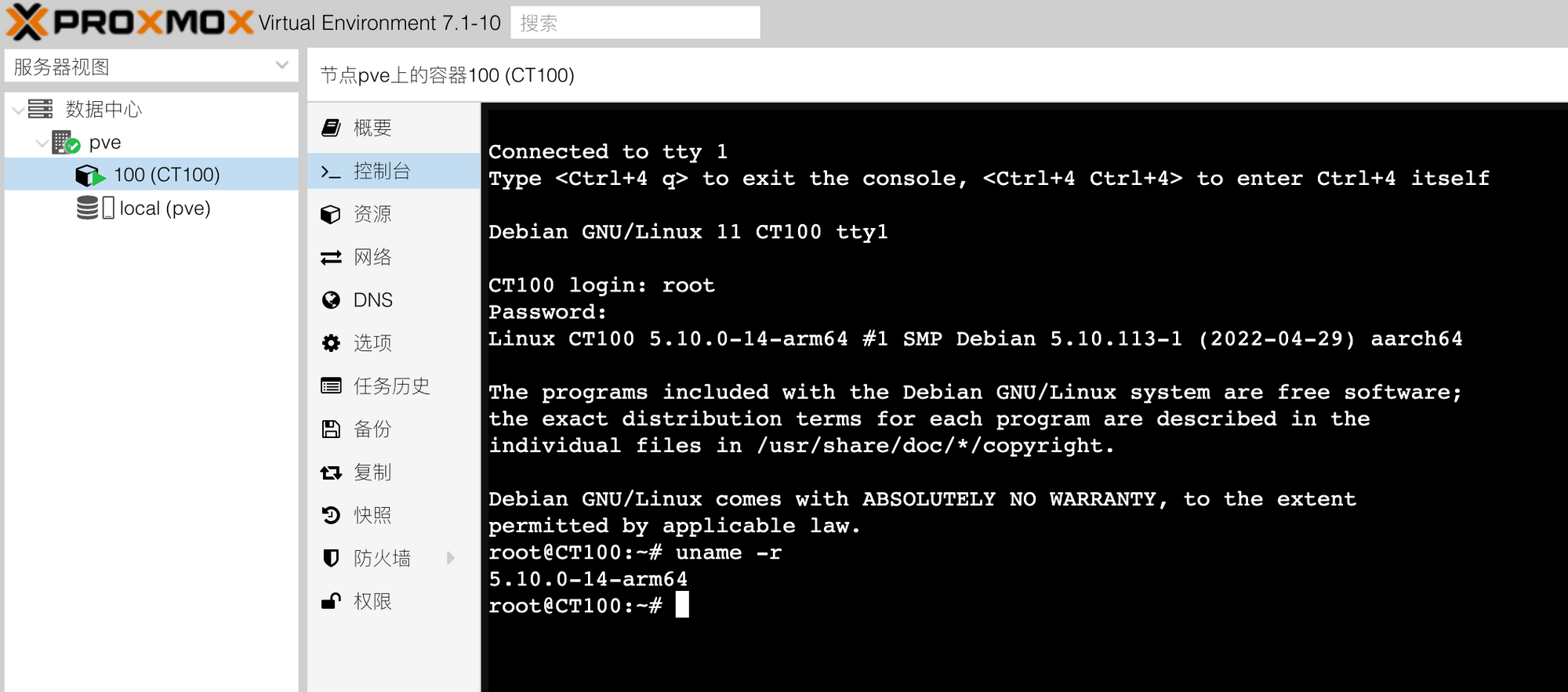
但是会发现AppArmor报错,开小鸡时候也会报错

重新编译安装AppArmor


apt install git bison flex autoconf libtool swig gettext -y
git clone https://gitlab.com/apparmor/apparmor.git
cd apparmor
export PYTHONPATH=$(realpath libraries/libapparmor/swig/python)
export PYTHON=/usr/bin/python3
export PYTHON_VERSION=3
export PYTHON_VERSIONS=python3
cd ./libraries/libapparmor
./autogen.sh
./configure --prefix=/usr --with-perl --with-python
make
make install
cd ../../binutils/
make
make install
cd ../parser/
make
make install
cd ../utils/
make
make install


下载ARM模板开机

去这里下载arm的模板https://uk.lxd.images.canonical.com/images/

rootfs.tar.xz文件名,基本上什么系统都有


作者: 论坛大师    时间: 2022-6-6 11:11
分页可以防采集?
https://369369.xyz/host/topic/1028727.html
作者: shuang76    时间: 2022-6-6 11:13
感恩,楼主啥时候有新加坡的小鸡,记得通知,哈哈哈
作者: DaoChen    时间: 2022-6-6 11:13
马克马克
作者: jiangcuo    时间: 2022-6-6 11:13
帮顶
作者: 251768938    时间: 2022-6-6 11:14
什么时候可以装黑苹果
作者: wxcszh123    时间: 2022-6-6 11:15
域名很好啊
作者: lightout    时间: 2022-6-6 11:15
然后就被封号了
作者: silence    时间: 2022-6-6 11:15
251768938 发表于 2022-6-6 11:14
什么时候可以装黑苹果

甲骨文arm不支持嵌套虚拟化,想都不要想
作者: 草丛中一杯茶    时间: 2022-6-6 11:17
技术贴要支持下
作者: silence    时间: 2022-6-6 11:18
lightout 发表于 2022-6-6 11:15
然后就被封号了

又不是干啥坏事,不致于封号
作者: silence    时间: 2022-6-6 11:20
@皮皮大仙 完整教程
作者: 告辞    时间: 2022-6-6 11:26
支持绑定              
作者: Calvinljq    时间: 2022-6-6 11:28
离封号不远了
作者: Ralph    时间: 2022-6-6 11:33
看不懂
作者: 笑花落半世琉璃    时间: 2022-6-6 11:33
坐等一个ban号的帖子
作者: Ralph    时间: 2022-6-6 11:35
论坛大师 发表于 2022-6-6 11:11
分页可以防采集?
https://369369.xyz/host/topic/1028727.html

我靠,你这个369369小姨子域名,是我前几天想注册的,提示已经被注册了。没想到今天在这看到了。
作者: f10    时间: 2022-6-6 11:37
开nat小鸡ip容易被nf封掉,不划算啊。
作者: justfkqq    时间: 2022-6-6 11:38
收藏一波,我是想把ARM装Windows,有教程不,大佬
作者: silence    时间: 2022-6-6 11:49
justfkqq 发表于 2022-6-6 11:38
收藏一波,我是想把ARM装Windows,有教程不,大佬

没有,自己折腾netboot试试吧
作者: KuYeHQ    时间: 2022-6-6 11:56
域名出吗
作者: silence    时间: 2022-6-6 12:09
KuYeHQ 发表于 2022-6-6 11:56
域名出吗

二级域而已,不值钱。
作者: wlc1984    时间: 2022-6-6 12:15
技术贴要支持下
作者: superneed    时间: 2022-6-6 12:27
Ralph 发表于 2022-6-6 11:35
我靠,你这个369369小姨子域名,是我前几天想注册的,提示已经被注册了。没想到今天在这看到了。 ...

363636在我手里
作者: lewss    时间: 2022-6-6 14:27
原来是要重新编译安装AppArmor,因为这个问题我解决不了,后来我直接安装lxd。。。
作者: yidaomm    时间: 2022-6-6 14:28
感谢分享,学习Mark一下
作者: 皮皮大仙    时间: 2022-6-6 23:31
silence 发表于 2022-6-6 11:20
@皮皮大仙 完整教程

灰常感谢!
作者: dole    时间: 2022-6-6 23:32
马克


欢迎光临 全球主机交流论坛 (https://52.ht/) Powered by Discuz! X3.4